
AI Agent & Coding ·
The 10 Codex Tips I Use Most Often
English translation of the Chinese original. This version is generated for international readers and may be refined over time.
English translation of the Chinese original. This version is generated for international readers and may be refined over time.
Date: 2026-06-09
I found a problem these two days.
Codex, the more I use, the less I want it to change the code as soon as it comes up.
My first use was straightforward: open Codex, enter a sentence, "Help me get this done," and wait for it to change the code.
It's not like that anymore.
I will now allow it to clarify the plan before adjusting its terms of reference. After a round, look at diff, page and test results.
The reason is simple: it is easy to return to work.
Now everyone's doubting Agent's ability. The question is whether Agent's ability is too strong and too changed.
You make it a button, and it's probably sorting out an import, changing a public component, bringing a small problem into a small remodel.
This would create an unnecessary additional workload.
I'm talking about the 10 techniques that I've used most, and that actually reduce back to work.
Text source: OpenAI Codex app documents, searchnews locally saved
Let it plan first
The first trick is.../plan.
I'm basically using this order now in two sets of scenes: a cross-document revision, or a need that I haven't fully figured out myself.
I used to say, "Do me a favor." Codex will start changing soon.
The problem is that the sooner the changes begin, the easier it is to cross the border to confirm.
Because it hasn't made three things clear: where to change, how to prove, where not to touch.
This is what I usually use now.
Don't change the code.

Please read the relevant documents and give me a plan:
1. Which documents should be changed.
2. Where not to touch.
3. How to verify the modification.
4. What is the most problematic point of the matter?
This step will take some more time, but it will reduce the return to work.
You'll soon find out if it understands the wrong demand, if it's ready to move a non-moveable module, if it's written as an unsupported "should be okay".
**Agent should spend the minute before work starts. **
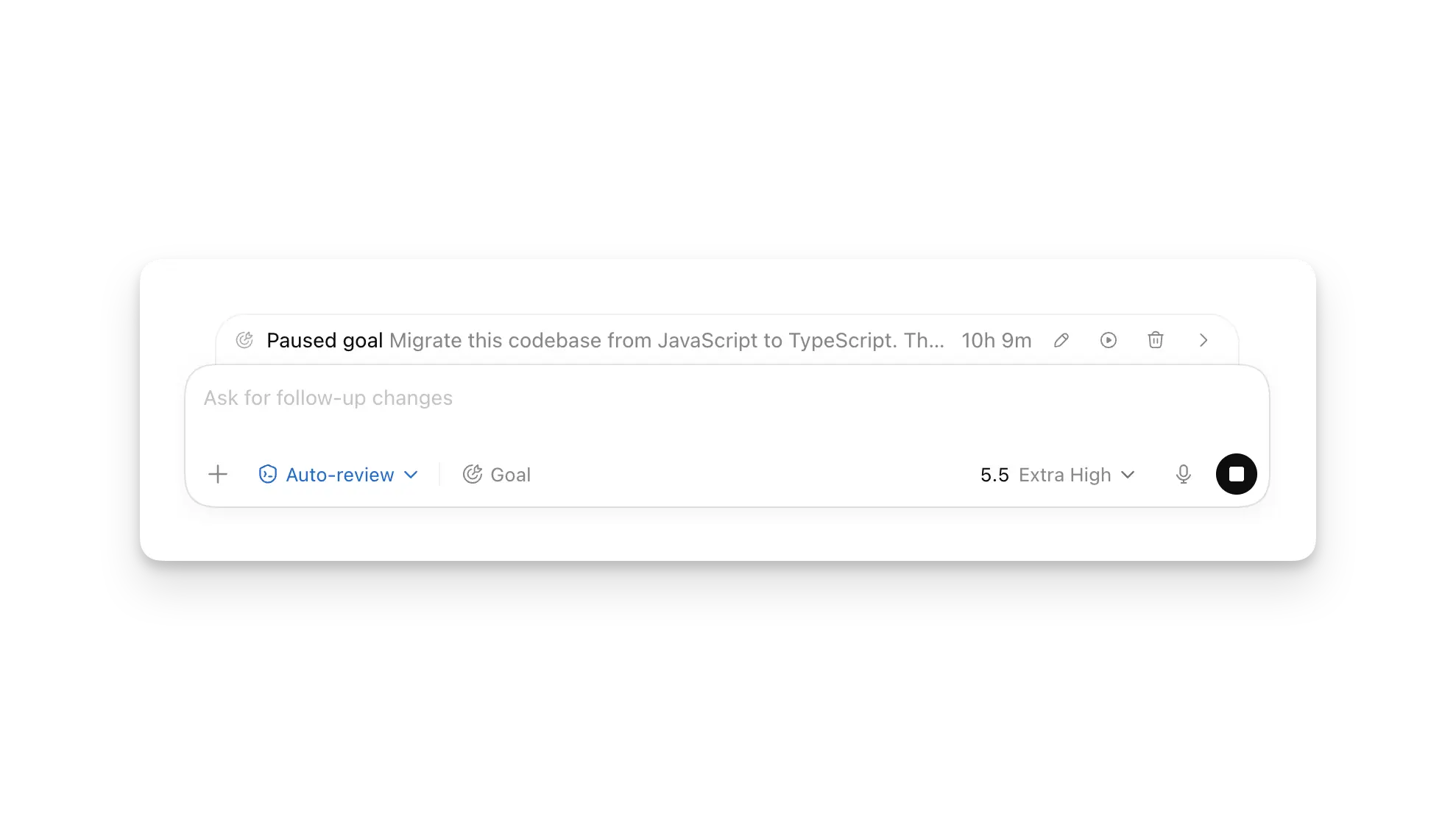
The second trick is.../goal.
This is suitable for long missions, such as migration, recombining, mass repair, and sorting out historical problems.
But I'm not going to just say, "Put this project to the point."
This goal is too broad for implementation to deviate from the target. It'll keep moving, but you don't know how far it's going to go.
I'll give it a finish line:
Objective: To migrate this module from the old interface to the new interface.

Completion criteria:
- All relevant single measurements passed.
- The original behaviour on the page remains unchanged.
- Don't change the authentication logic.
- End-out output changes, authentication orders and failed attempts.
Where there is no authentication method, goal is easily detached from the target.
I've been on a long mission before, running to the back of Cordex's response structure is normal, but it's already gone. And then I became a habit: goal ran for a while, and then he stopped and reset the plan.
Ask it: What is so far from the finish? Has the original border been breached? What's next?
The impact of this step is concrete: regular alignment of missions to prevent long-term missions from departing from their original objectives.
I've written before about a goal. You can read it.It's kind of a game to play with.
Permission based on risk
The third trick is.../permissions.
I've stepped on two pits before.
One is that the powers are too narrow, everything is asked, Codex is frequently interrupted. The other is for full access, and the scope of the change is rapidly becoming larger, and diff is difficult to review afterwards.
Now I'm going to cut the lines according to my mandate.
It is easier to read codes, check materials and combo programmes.
If you want to write documents, load them, run them, move them, move them.
In the case of payments, access, database migration, security configuration, I would prefer it to ask more. This additional confirmation is more stable than allowing high-risk changes to bypass confirmation.
Codex now has access to the file system, workspace root, network domain, or even the file system..envThis file drops directly.
The fourth trick is...AGENTS.md.
This document does not contain general requirements.
Do not write "Keep the code elegant" "Best practice". This language is weak and does not allow for a back check.
I'll write this:
## Verification

- Modify the frontend to start the local service and open the target page.
- Change the API behavior after running the corresponding test.
- Non-active re-engineering does not involve modules.

## Review

- Code report only real risk, not style preferences.
- Uncertain facts need to be marked as uncertain, and do not make mistakes.

## Safety

- No reading, no modification. `.env`.
- No change in the logic of authentication, payment, authority unless the mandate clearly requires.
Codex will read before work starts.AGENTS.mdI don't know. You can put it all in.~/.codex/AGENTS.md, a more specific item could also be placed in the project.
I would prefer to treat it as a work agreement, not as a preferential combination.
The fifth technique is hooks.
Some rules cannot rely solely on indicative words.
Like not to change..env, do not run dangerous commands, change the type of file to run lint. These things, bound by prompt are unstable.
The enforcement, just write the Hook.
The books of Codex can be plugged into angentic loop to trigger scripts before, after and after a tool is called, at the beginning of a thread, and at the start of a sub-task. It's a reasonable design to run after non-host hook and trust.
My understanding of the Hooks is:AGENTS.mdWrite the rules, books verify the key nodes.
One is the rule.
One is verified.
The former told Codex what to do, the latter checked it for not crossing the border.
Review prefix
The sixth trick is.../diff.
This command is not visible, but it is used to significantly reduce the review cost.
If you've been using xheigh, Codex's range can easily get bigger.
The scale of the individual changes is small, and the cost of the review comes up.
So I'll see it after the first round./diff.
Use diff to see if it matches what I want.
Keep going.
In the wrong direction, this round was held, and there was a much smaller return to the union.
The seventh trick is.../review, with the comments in the line.
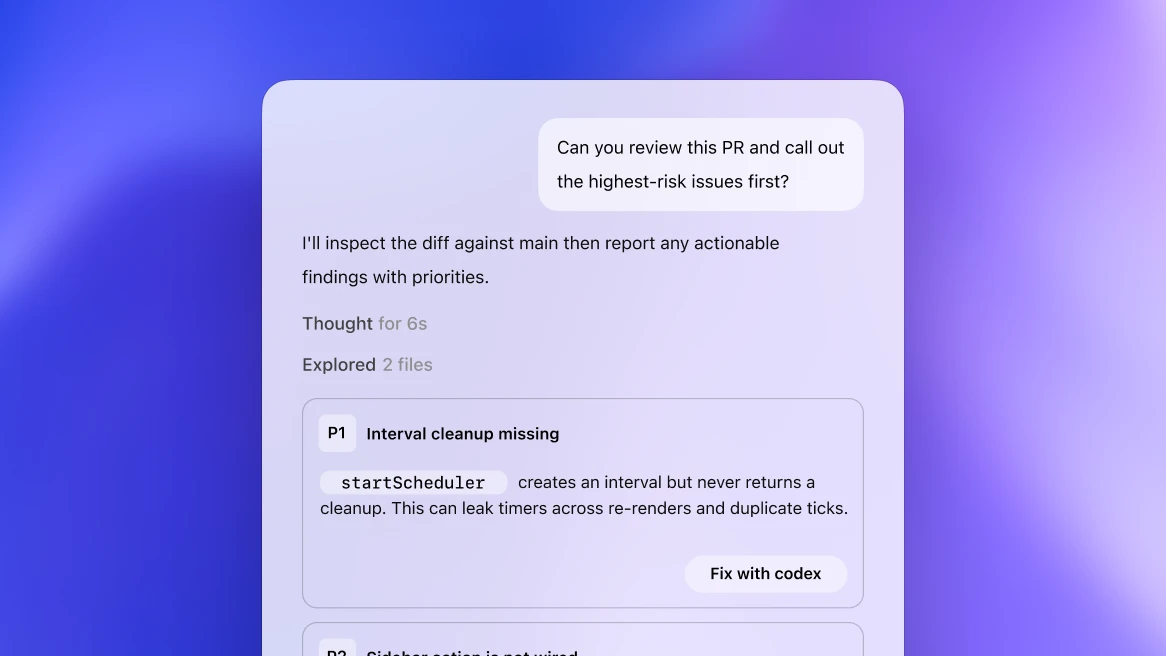
Text source: OpenAI Code review example, searchnews saved locally
I won't let/reviewExtensive review.
I usually say:
Report current diff.

It depends on the real risks:
- bug
- Security
Risk of return
- No tests.

Do not describe style preferences and do not suggest unrelated reconstructions.
The result would be closer to the project review, rather than a mere suggestion that "it can be more elegant here".
There is also a useful point for the Review pane of Codex app: it can stay directly next to the specific code line.
You used to rephrase, "The function you just changed, the third if that's not right."
Now go straight to that line and write:
Don't swallow the error here. The caller needs to know the reason for the failure.
And tell Codex:
Deal with these inline comments, keep the range minimal.
This is more accurate than going back and forth in the chat box.
The front end must look at the page
The eighth technique is in-app Browner.
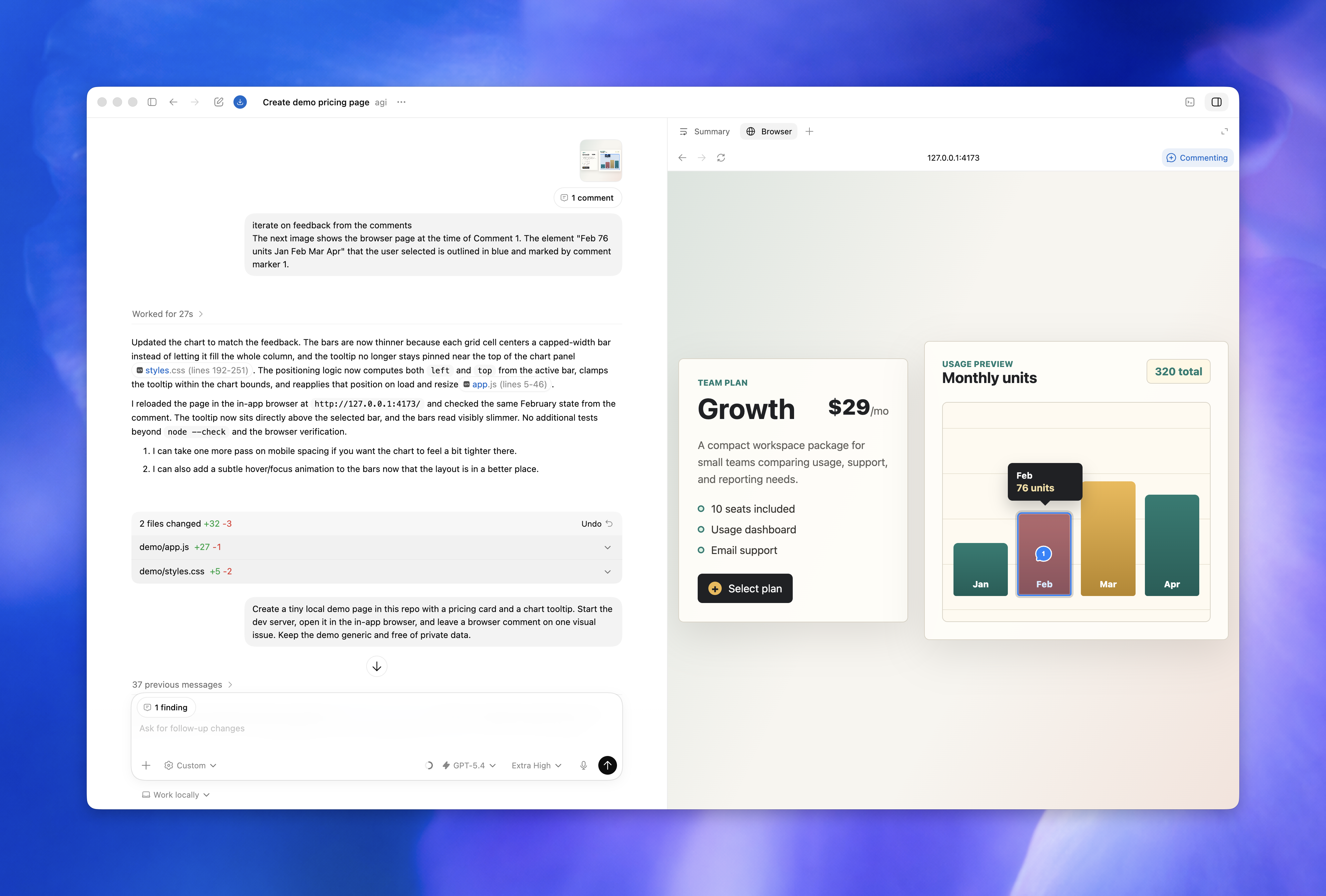
Text source: OpenAI Codex in-app Browner document, searchnews locally saved
I have a standing request for the front end:
** Do not say finished without opening the page authentication. **
Lint only indicates that code rules are generally adopted.
Tests also do not cover all visual states, such as mobile-end line breaks, bullet window layers, forms verification, loating, empty and error.
The screenshot only indicates that the page in a given state is normal and is not a substitute for real hits and multiple size checks.
Codex's in-appbrowser is suitable for such things. You can get it to open local dev server, check the target page, point button, screenshot, and even leave comments for specific areas on the page.
My usual hint is:
Start Project, Open http://localhost:3000/settings.

Check this page only:
- Desktop width
- Move width
- Organisation / Empty / Error

The visual problems are identified first by screenshot, then by changing the code.
Note that the key here is not "with a browser."
The point is to clarify the recipients.
Which page is that, which status is that, which boundary is that. If you do not make it clear, it will expand itself.
Once the front-end task has been expanded, the style and interactive details of the page are easily altered.
Don't pile a big job in a session
The ninth technique is worktrees and subagents.
I put them together because they solve the same problem: do not let a session carry too many contexts.
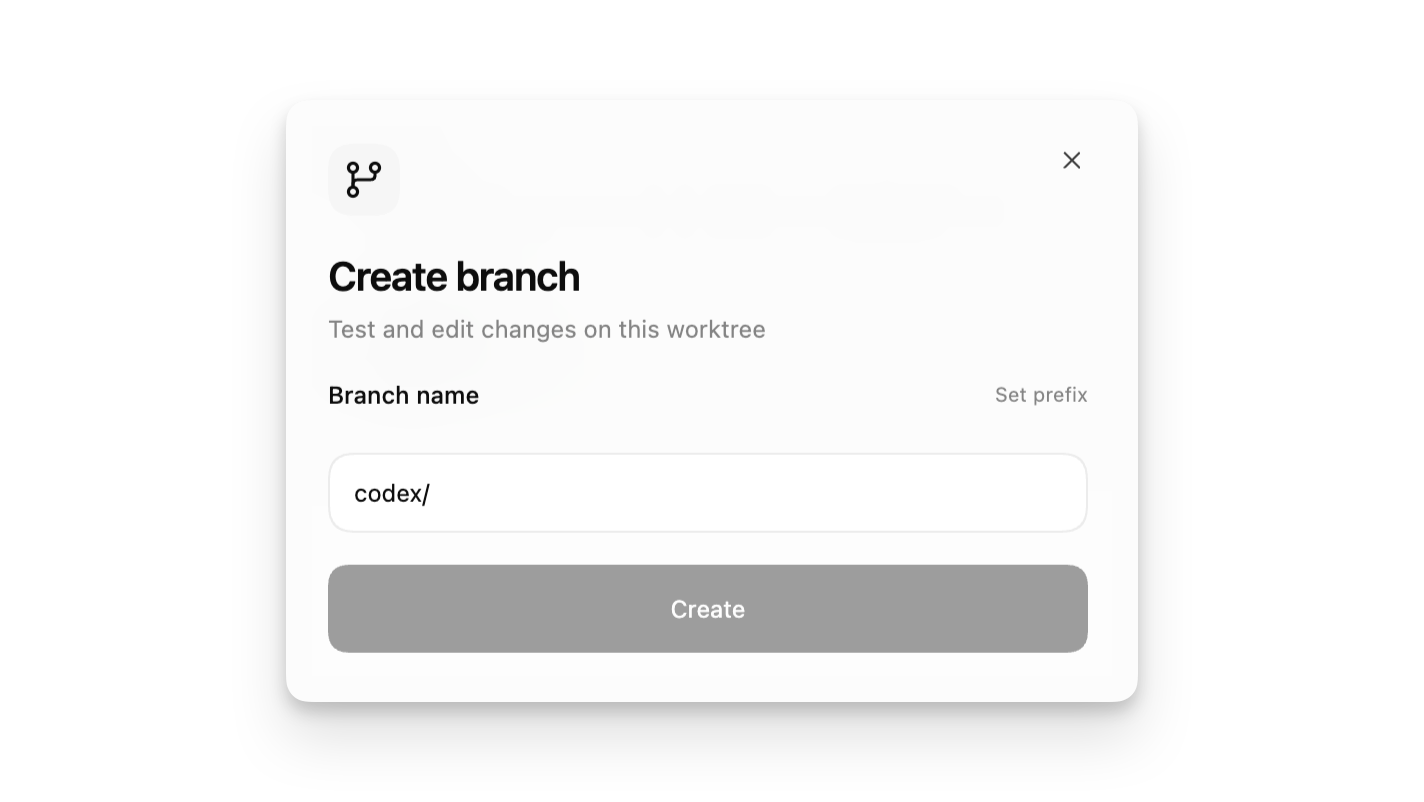
Text source: OpenAI Codex works documents, searchnews locally saved
Individual Codex sessions have been running for a long time, context will pile up discovery records, failed attempts, logs, ad hoc judgments.
Run to the back and previous failed attempts, ad hoc judgments and logs will influence subsequent judgement.
The structure of the response is complete, but too many ad hoc judgements have been mixed in the context.
Subagent is suitable for reading and writing less.
For example, let an agent look at safety risks, one at test gaps, one at maintenance. They will then turn over their findings in their own context.
Worktree suits the parallel work that changes the document.
Like a worktree fix UI, a worktree check CI, a worktree do a migration program. They do not step on each other ' s documents and do not pollute the main work area.
But neither subagent nor worktree can abuse it.
A lot of jobs don't need more anent. Pulling a subagent without a clear mandate increases costs, lengths and complexity of consolidation.
My criteria are:
The task can be removed independently and generate a large number of logs and exploration records, using subagent.
The task changes the file and several lines may interact with each other, using worktree.
Just change one function, don't open more anent.
Repeating moves to sink
The tenth technique is Skills + MCP.

Text source: OpenAI Codex CLI Example, searchnews locally saved
These two functions are not part of the same layer, but are often connected when I use them.
Skills addresses "repeated processes".
MCP addresses the "external context".
Repeated copies of the same directive are suitable for completion.
Writing procedures are available for public article writing, code review is available, and a browser check is available for front-end acceptance. Every time you repost it, it's both a waste of context and easy to leave.
Codex's skill is loaded as required. It only knows the name, description and path of the skill at first, and reads it when it's actually used.SKILL.md.
So don't put all my habits into a big "my work stream."
Keep it narrow.
A skill is responsible for one thing.
I'll split it this way:
wechat-article: only for the writing process of public articles.frontend-verify: Only to start pages, screenshots, check mobile ends.pr-review: look at diff and risk only.
MCP reduces manual copy paste.
Issue, Figma, browser, internal document, developer document, if there is MCP, bring it close to the original material.
The biggest problem with replicating paste is that material is deformed. You copy a message, you may miss a comment; a log, you may miss time; and a draft cut-off, you may miss a state.
MCP addresses the source of materials.
It allows Codex to read issues, drafts, internal documents and developers documents directly, rather than manually copying an incomplete context.
But the more tools there are, the clearer the boundaries.
The ability to read Figma does not mean that it should automatically modify the design system.
Seeing GitHub doesn't mean it should just push the committee.
Access to external web pages does not mean that they are credible.
So my own group is: MCP takes the material, skill tells it how to handle the material, personalities and hoops take the border.
After this set runs smoothly, Codex's output will be much more stable.
End
It's 10 techniques behind, actually one thing.
Do not use Codex only as a chat-response tool, but put it in a checkable process.
Today./plan, /goal, /diff, /review, Skills, MCP, hooks, worktrees, subagents, browser.
There'll be more entrances tomorrow.
Tools change and processes are relatively stable.
Define the problem first.
Then give the context.
Restart permission.
Then implement.
Seriously check.
Codex is fit for execution, but only if you write the standards clearly.
The acceptance criteria are not clear, and it can only be done on its own understanding.
Changes to borders are not clear and can easily be expanded.
You know what it means to be done before it gets done.
The use of this paper is based on my actual use of Codex in recent times. The functional description is based on the OpenAI Codex official document: